AvvoGPT launches its new Desktop App (Beta), designed specifically for lawyers, law firms, and legal researchers who need maximum privacy and high-performance AI tools.
Key features include:
-
100% offline operation, with no data sent outside your device.
-
Full privacy protection, with zero server calls or cloud processing.
-
Local and private chat, stored only on your computer.
-
A powerful AI Agent capable of interacting with APIs and automating legal workflows.
-
Online search only when you choose to enable it.
-
3-day free trial available with the annual subscription, allowing you to test the full experience risk-free.
AvvoGPT Desktop helps lawyers speed up legal research, summarize documents, draft pleadings, and automate repetitive legal tasks—without compromising confidentiality.
Since this is a Beta release, some features are still improving, but the foundation is already robust, fast, and built for professional use.
Check the complete video
MAC Installation Guide
-------->Download the App here<--------
Note: Since the app is not yet available on official stores and is still in Beta, it is not authenticated by Apple. For this reason, you may receive warnings about the app not being verifie
Follow these steps to activate the app →
-
Download the application from the provided link
-
Open the app — you will see an error saying that Apple cannot verify the application
-
Click Close
-
Go to Settings
-
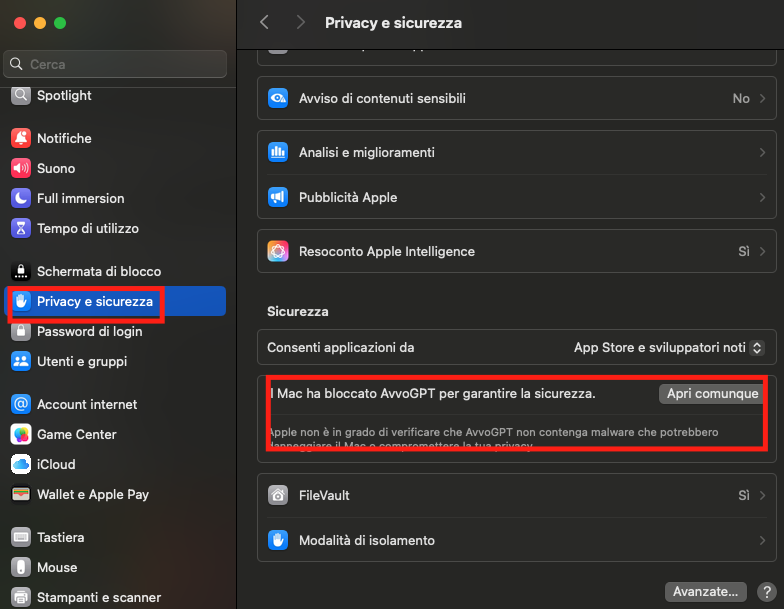
Open Privacy & Security
-
Click on Open Anyway
-
Open the app again
-
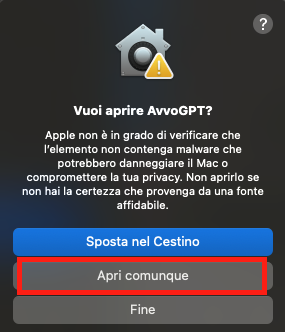
You will see another warning — click Open Anyway
Now AvvoGPT Desktop will be available.
For any questions or to activate the 3-day free trial, contact: info@avvogpt.com
WINDOWS Installation Guide
-------->Download the App here<--------
Note: Since the app is not yet available on official stores and is still in Beta, it is not authenticated by Apple. For this reason, you may receive warnings about the app not being verifie
Follow these steps to activate the app →
-
Download the application from the provided link
-
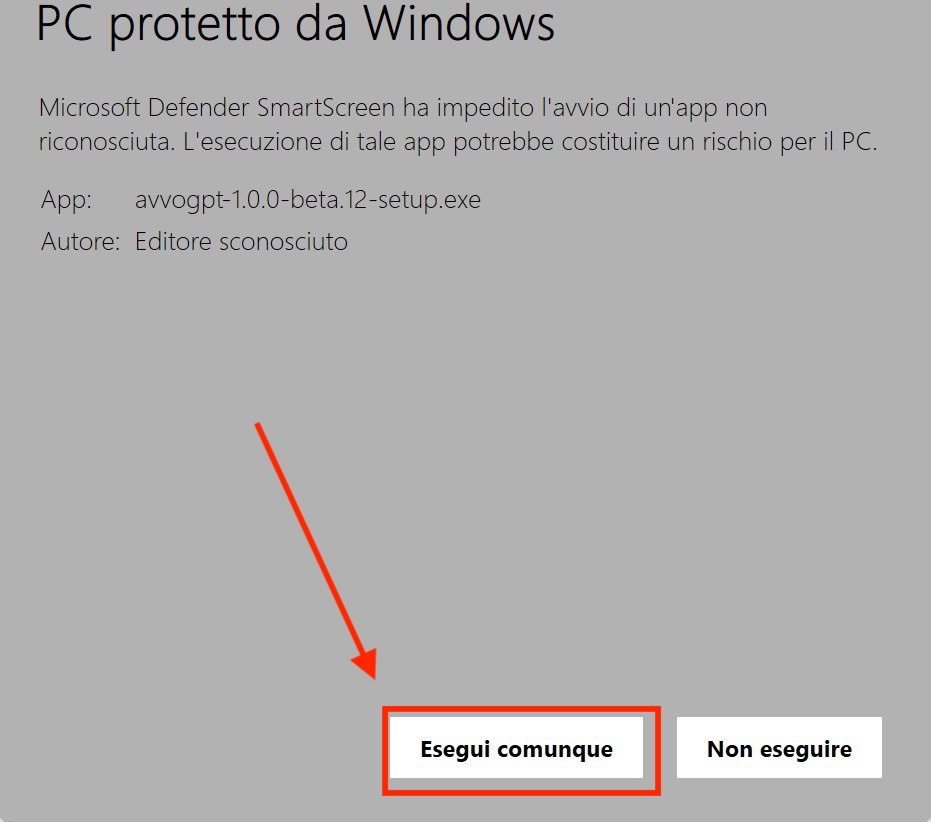
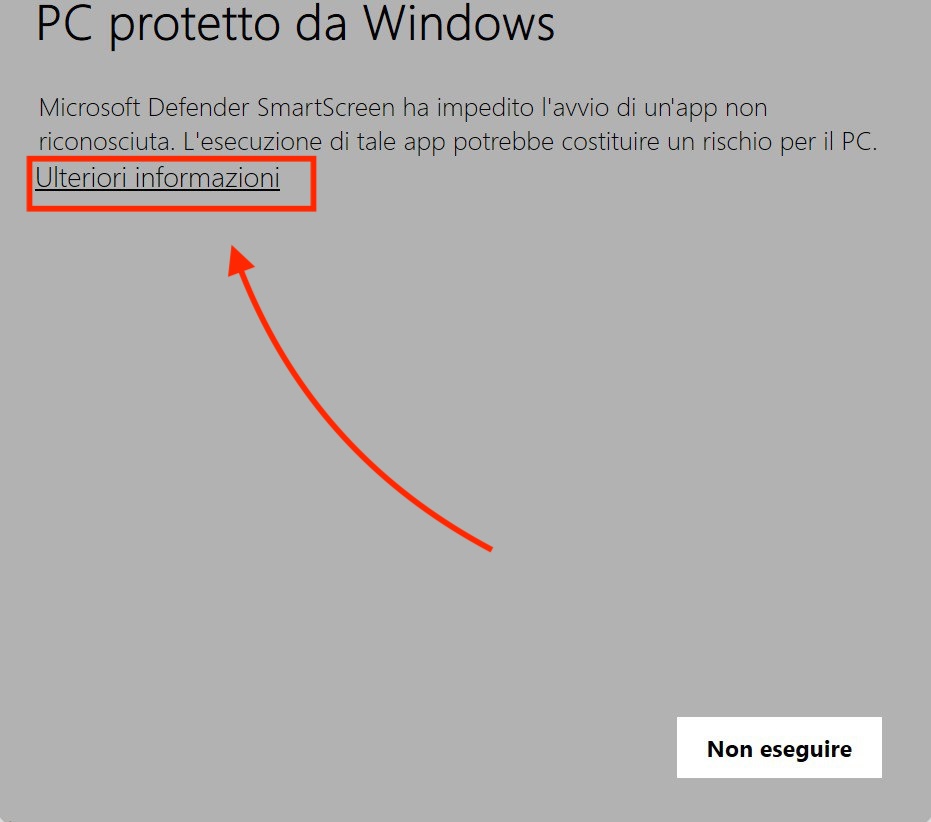
Open the app — you will see the message: "Microsoft Defender SmartScreen prevented an unrecognized app from starting."
-
Click More info
-
Click the Run anyway button